Unreal Engine / Tools
Winternator
An Unreal Engine editor tool that generates snow cover and icicles on existing meshes, with adjustable snowfall.
- Role
- C++ and procedural tools
- Engine
- Unreal Engine
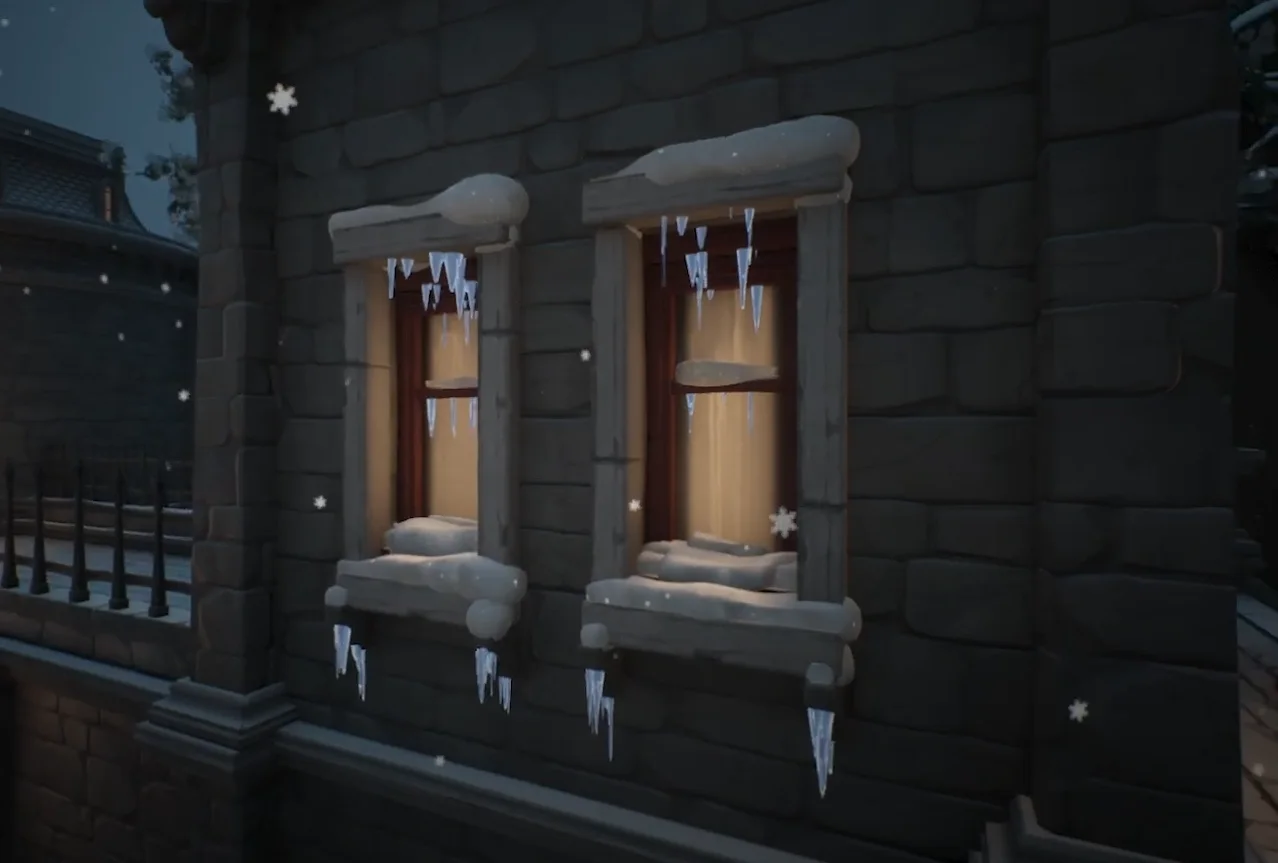
Winternator in motion YouTube loads when you press play.
The brief
Winternator is a procedural winter set-dressing tool for Unreal Engine. I built it to reduce the work of modelling and hand-placing snow cover and icicles across an environment, using Geometry Script, C++, Blueprints, and Niagara.
The focus is the artist’s workflow: choose the meshes, control the generation area and appearance, then freeze the result when it is ready.
Less time placing individual assets
Winter set dressing creates a lot of repetitive work. An artist can model several icicles and snow patches, but still has to place them across windows, ledges, and small props. That workload grows with the number of structures in the level.
I built Winternator around three systems: generated snow cover, generated icicles, and Niagara snowfall. The aim was to do this inside Unreal's editor using existing meshes, with controls for the artist to adjust the result.
The generators work on selected actors. Snow cover accepts a list of actors, while the icicle generator combines a chosen actor with a spherical processing volume. That keeps the workflow focused on the parts of the scene the artist wants to dress.
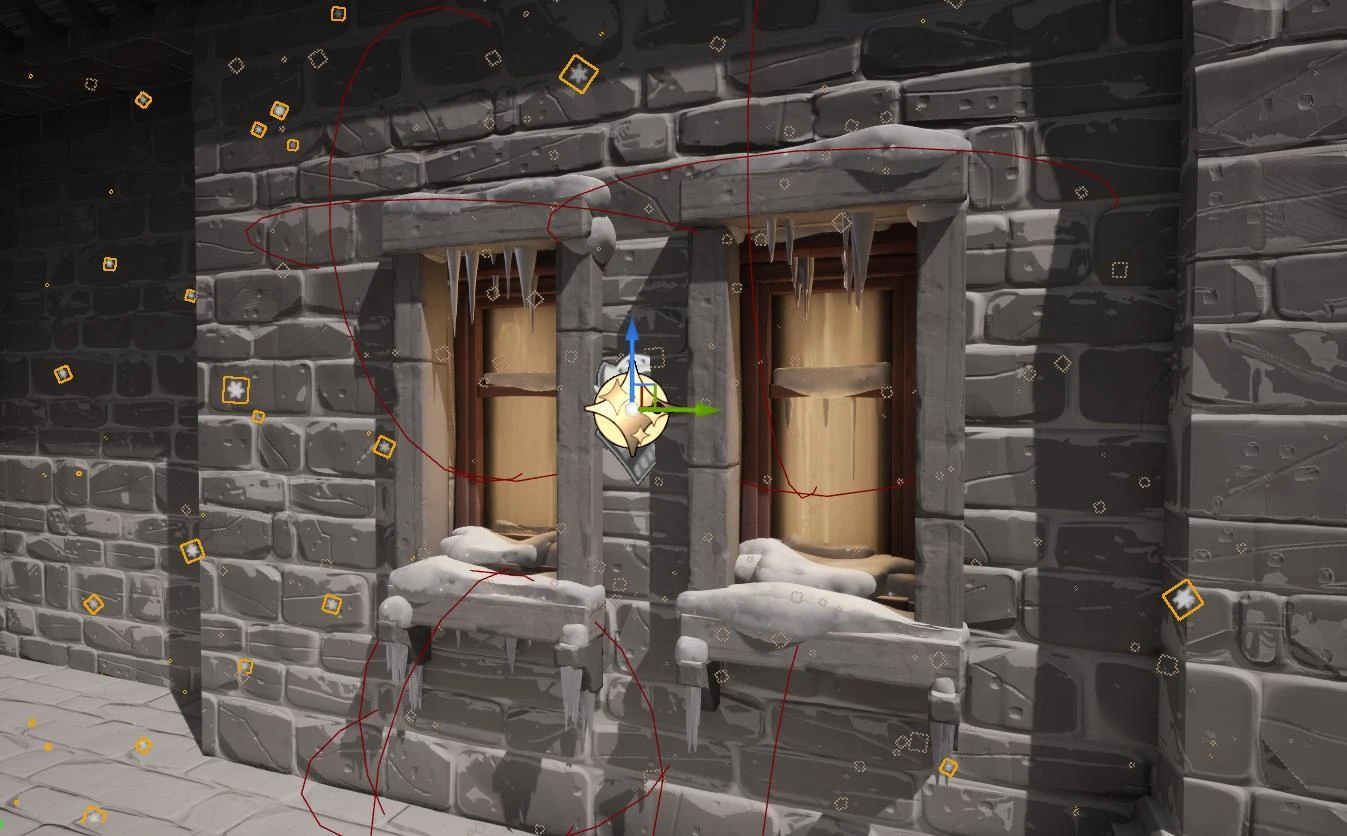
Building snow from the source mesh
The snow generator copies each selected static mesh into a dynamic mesh and transforms it into world space. It filters faces using their direction relative to world up, then extrudes and offsets the remaining surface to give the snow thickness.
The generated geometry is remeshed, deformed with Perlin noise, and smoothed. The final steps recompute normals and generate UVs. This creates a separate layer of snow shaped around the selected assets.
The exposed settings control thickness, remesh iterations, noise magnitude, frequency, and seed. Artists can choose a target triangle count or edge length, so they can adjust the generated geometry as well as its appearance.
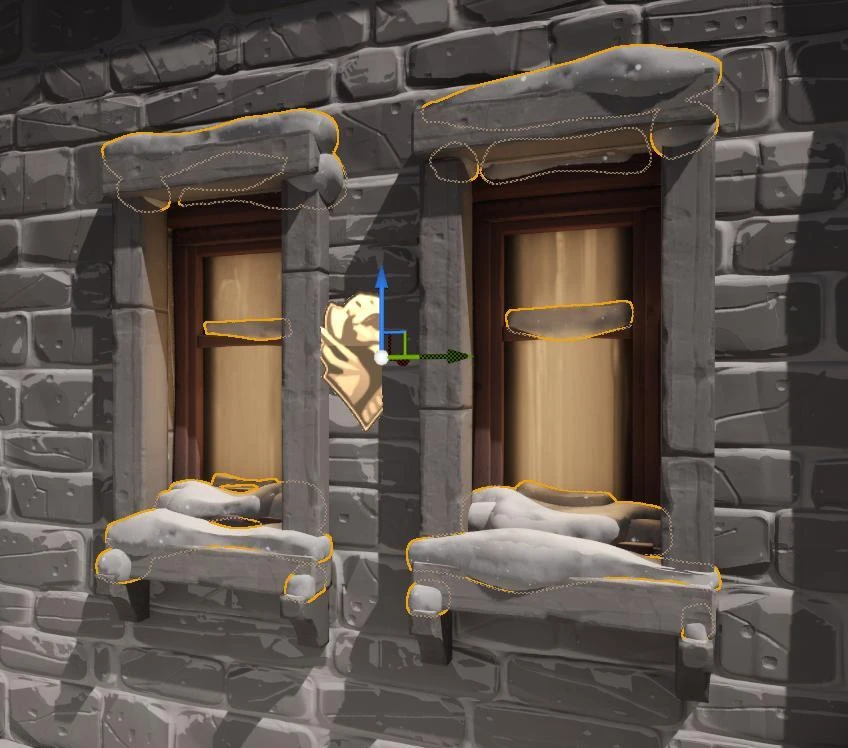
Finding the undersides for icicles
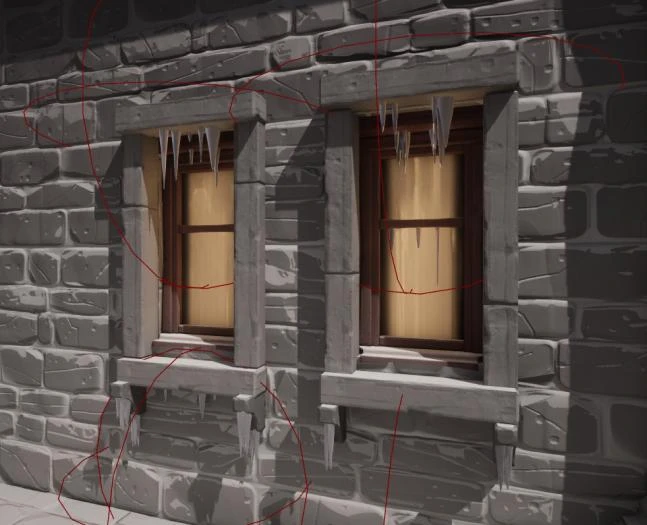
The icicle generator looks for downward-facing triangles on the selected mesh. It intersects that selection with the processing sphere, so the artist can limit generation to a particular ledge or part of the structure.
After applying an adjustable offset, the selected surface is simplified to obtain the vertices used as placement points. Downward-facing cones are appended at those points. A seeded random stream varies their height and base radius.
Perlin deformation, solidification, and simplification shape the final icicle mesh. The artist can adjust the sphere radius, placement count, size, extrusion bias, seed, and decimation tolerance instead of placing and editing every icicle separately.
Keeping the generated result editable
The user guide includes a freeze control for both generators. Once the artist is happy with the output, they can freeze the dynamic mesh, continue working elsewhere, or move the generated result. Unfreezing it allows further changes.
The snow generator also rejects actors above a configurable size threshold. That check addresses a practical editor problem: accidentally selecting a very large mesh can trigger an expensive generation operation and stall the workflow.
I first made Blueprint prototypes, then developed C++ classes with Blueprint-derived assets for use in the editor. The project keeps both versions, and the documentation explains the setup and each exposed parameter.
Snowfall as a separate layer
Snowfall is handled by a Niagara system that can sit in the level or follow the player. Its controls cover spawn radius, intensity, wind direction, wind speed, and curl noise.
Keeping this separate from the mesh generators lets an artist tune the falling snow without rebuilding the snow cover or icicles. Materials and material instances are also assignable, including stylised and more realistic icicle options.
The result is an editor set-dressing workflow built from generated geometry and adjustable effects. The linked technical document covers installation, the asset and material pipeline, test plans, and the user manual; the repository contains the C++ implementation.
Keep exploring