Unreal Engine / Technical Art / Tool
Neptune – Advanced Ocean System
Water rendering, buoyancy, and artist tools built in six weeks for a collaborative student game in Unreal Engine 5.
- Role
- Senior Technical Artist
- Duration
- 6 weeks
- Team
- 30-person student game team
- Engine
- Unreal Engine
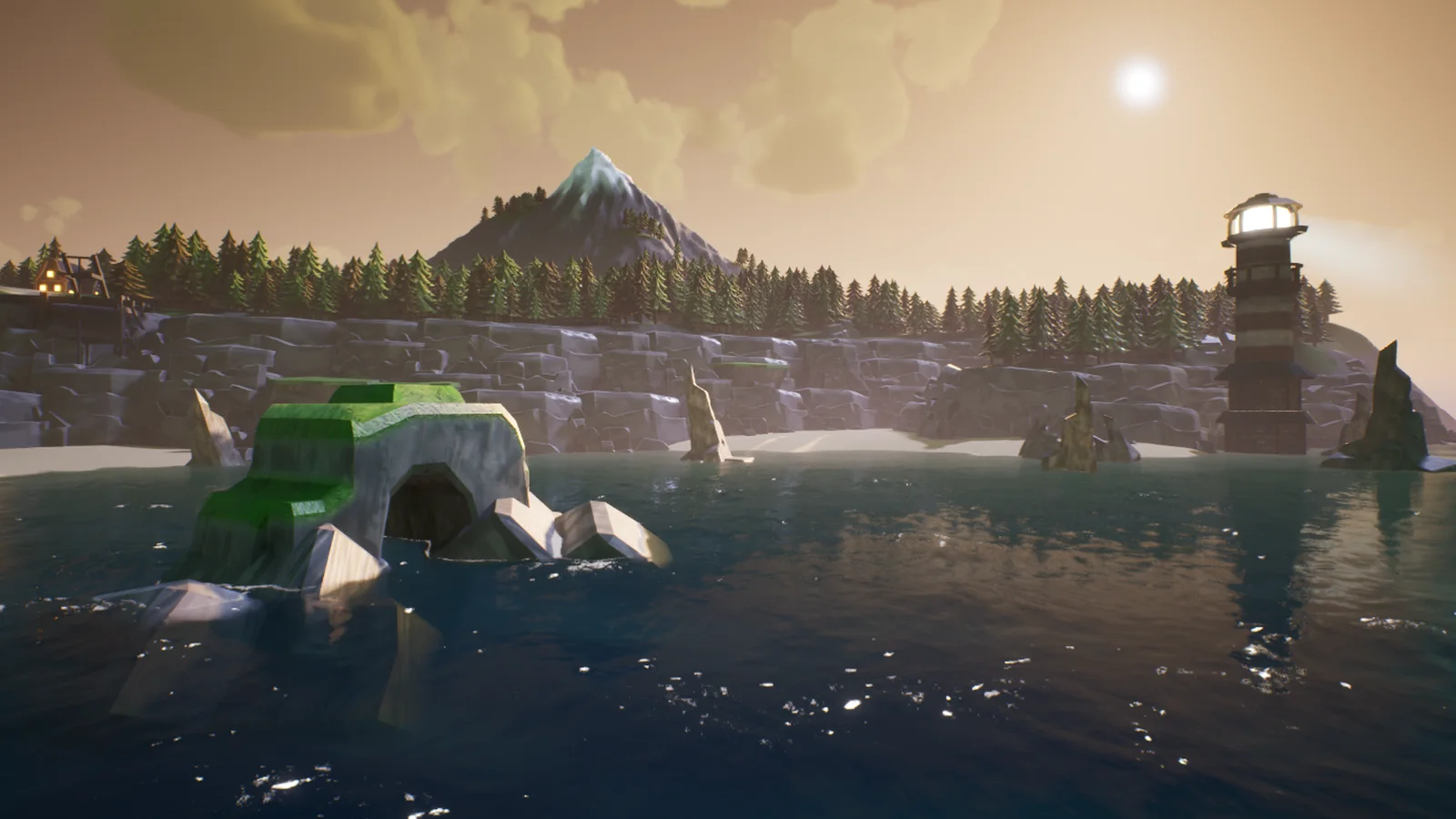
Neptune – Advanced Ocean System in motion YouTube loads when you press play.
The brief
Build a water system for a collaborative student game in Unreal Engine 5, covering oceans, rivers, lakes, and waterfalls. It needed to support gameplay objects and give artists and designers controls they could use in their levels.
I worked on Neptune as Senior Technical Artist over six weeks. The main challenge was taking a simple water shader through several iterations into a procedural ocean with waves, buoyancy, and underwater rendering.
From a shader to a procedural ocean
Neptune began as a simple water material. As the project developed, I kept pushing it further: procedural waves, floating objects, underwater rendering, and controls for the people building the levels. Getting those features into a usable system took several iterations.
The biggest challenge was moving beyond the look of the surface. The ocean needed waves and buoyancy that could support gameplay, alongside the visual work. The final system uses Gerstner waves with adjustable parameters and supports floating actors and gameplay objects.
My work covered system design, prototyping, integration with the rest of the game, and technical documentation. That made Neptune as much a tools project as a rendering project.
Waves, buoyancy, and boats
The wave system and buoyancy were the main step up from the original shader. Adjustable wave parameters gave the water a procedural foundation, while buoyancy let floating actors become part of the scene rather than simply sit on top of a visual effect.
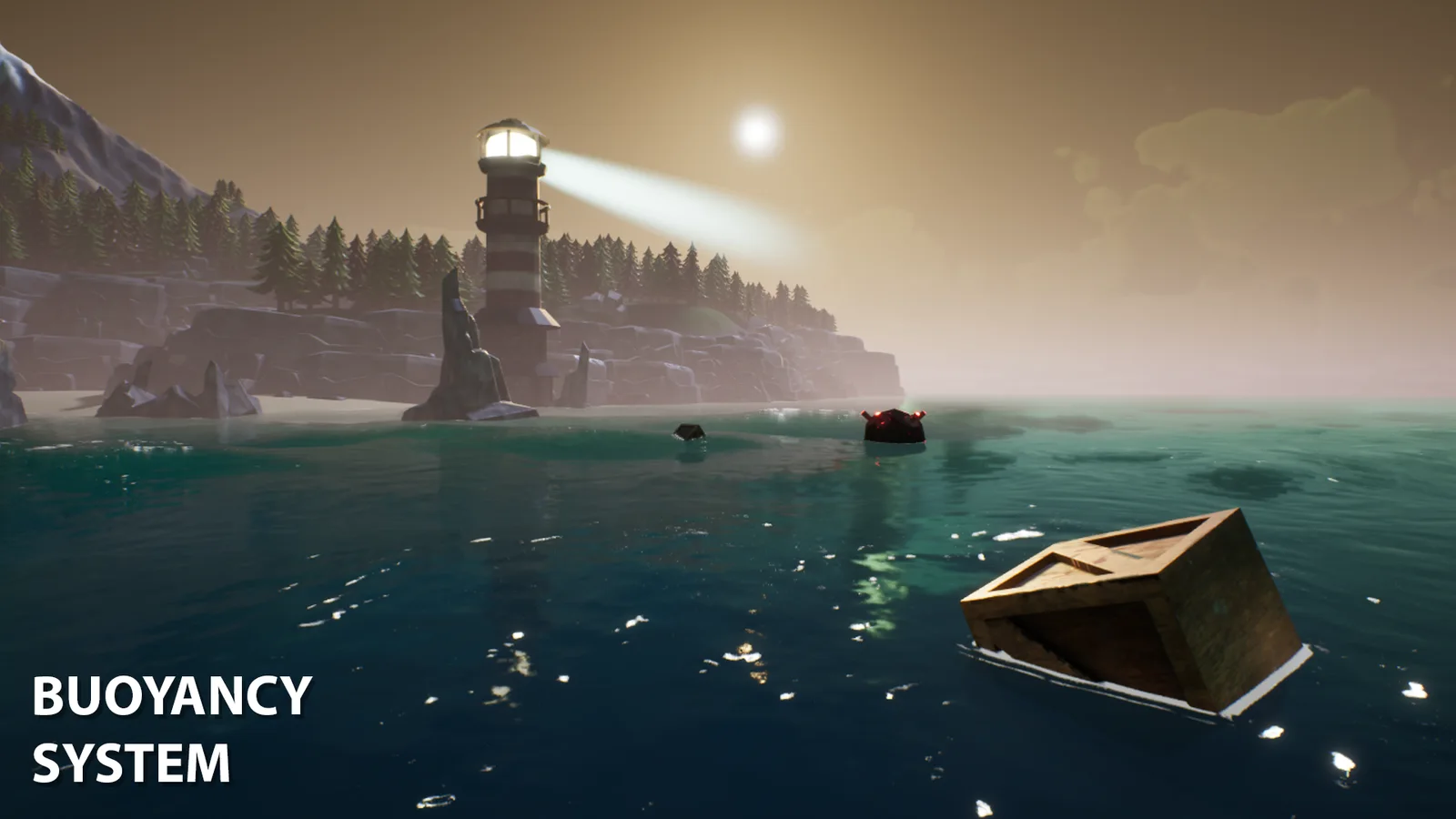
The system also includes wave resistance and interaction with static and dynamic bodies. The capture shows crates and other gameplay objects in a buoyancy test, giving a clearer picture of the feature than a surface render alone.
Boats introduced a separate rendering problem: keeping the water surface out of their interiors. A stencil mask handles that exclusion without removing the surrounding ocean.
Making shorelines part of the scene
A large water surface was only part of the brief. Neptune also needed to meet the level at beaches and rocks, and support rivers, lakes, and waterfalls.
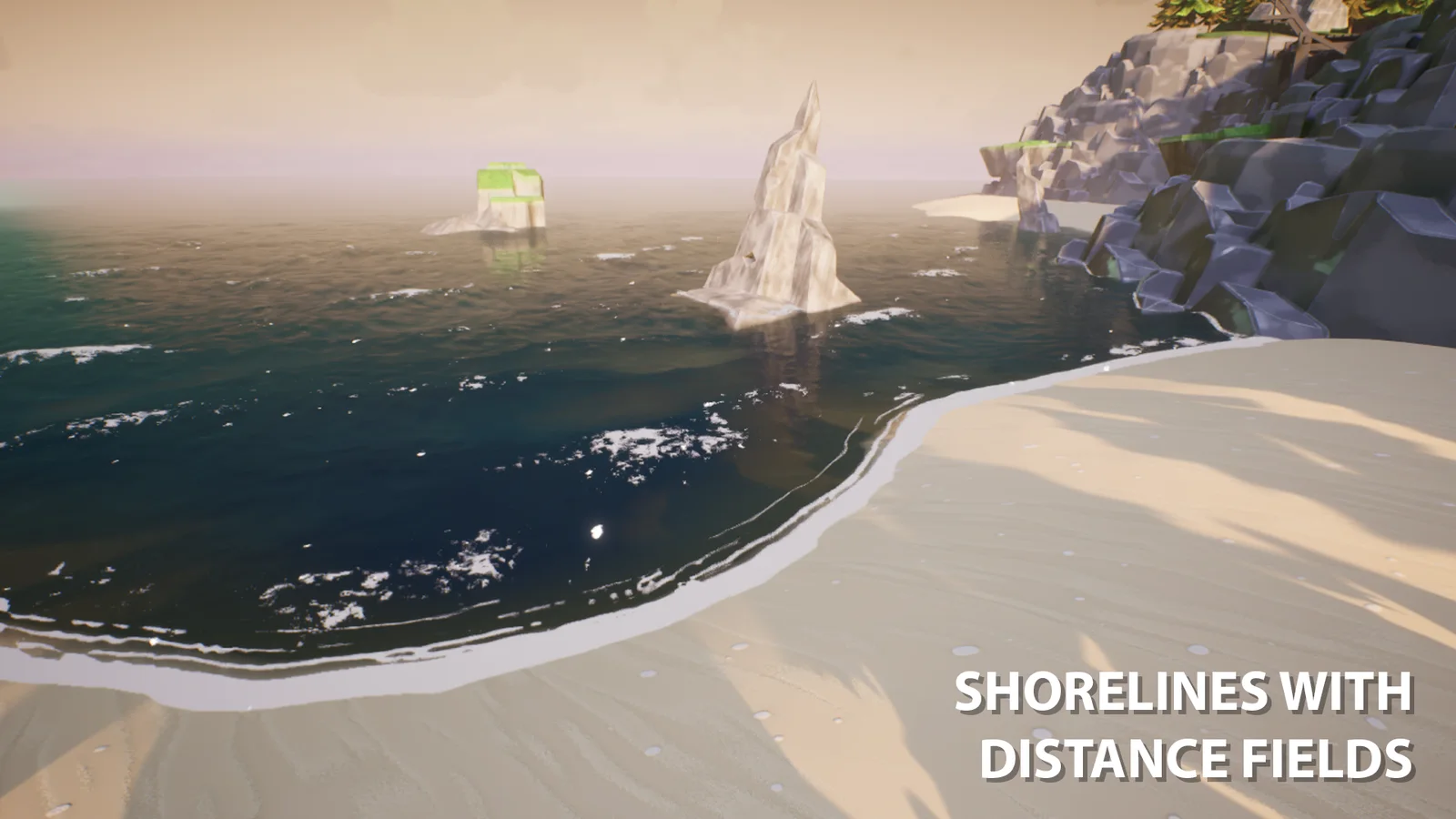
For the coastline, I combined distance-field foam with a wet-sand shader. These effects handle the transition between the water and the shore. The image shows that transition along the beach and around the rocks.
Rivers use splines to control their path, flow, and foam. A separate waterfall actor uses noise blending. Material instances and exposed parameters let artists adjust the result for their levels, while a tile-repeat solver reduces visible repetition in the materials.
Taking the camera underwater
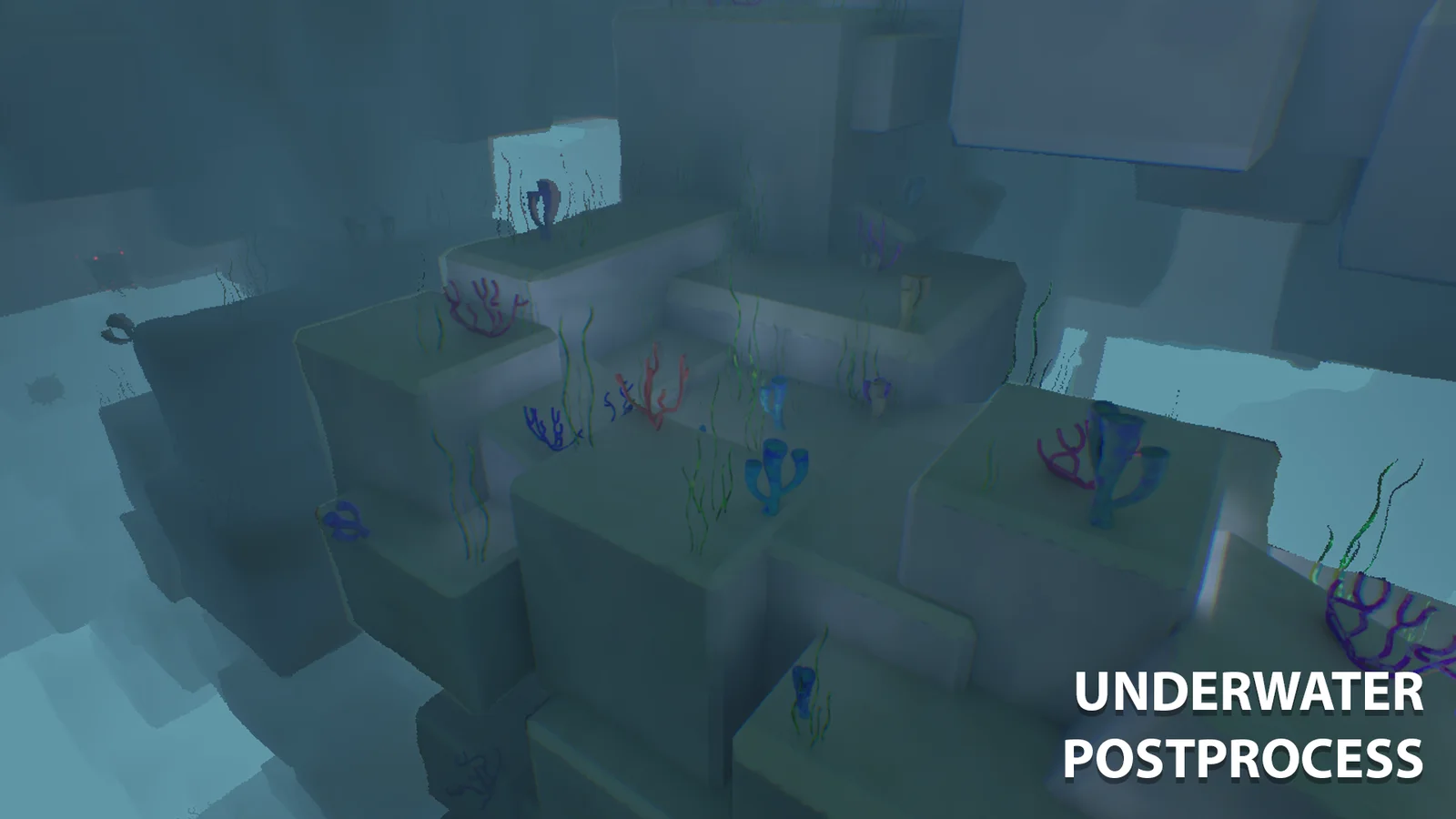
Going underwater required its own rendering work. Neptune includes underwater fog, caustics, and post-processing, with depth colouring, refraction distortion, and a fake subsurface-scattering effect contributing to the water's appearance.
This capture shows the submerged level with the underwater post-process applied. It was a separate part of the visual system to develop alongside the surface material, rather than treating the ocean as something the camera would only see from above.
At the waterline
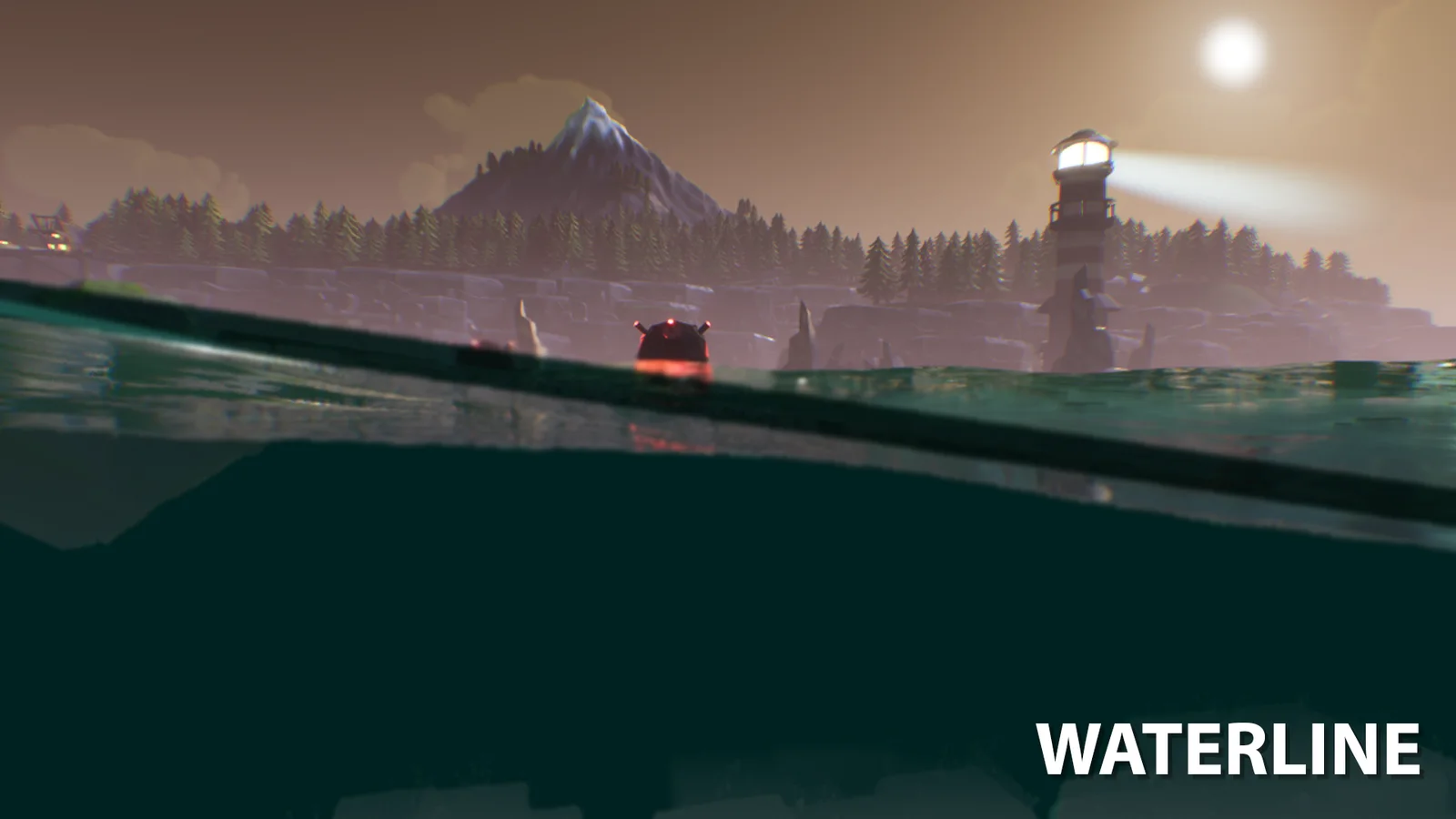
The waterline brings both views together. Above the surface, the island and lighthouse remain visible; below it, the underwater treatment changes the scene.
This view is useful for showing the scope of the finished system. Neptune had grown from the initial water material into a procedural ocean with surface rendering, underwater effects, and buoyancy. Building that progression within the six-week project was the part I found most challenging.
Handing it over to the team
I built Neptune within a 30-person student game team. Alongside the technical work, I provided documentation and training to help artists and designers integrate and customise the water in their levels.
The exposed settings and material instances were an important part of that handover. The team needed ways to adjust water features without having to work through the underlying system each time.
Tools used: Unreal Engine 5 Materials, Blueprints, Niagara, Blender, Photoshop, Substance Designer, and Git.
Keep exploring